A card show POS built for the table.
Most point-of-sale software is a shop till that happens to work at a show. Lockstock's register is made for a folding table, a box of cards and a queue of buyers, and it runs in the browser on the tablet or phone you already have.
A show day, start to finish
From packing the box the night before to knowing what you took home.
Pack the box
Tag the cards you're bringing "at the show". The register shows those and nothing else, so a buyer never asks for a card that's still at home.
Print QR labels
Price labels with a QR code for every card you're bringing, on standard Avery sheets.
Scan or search
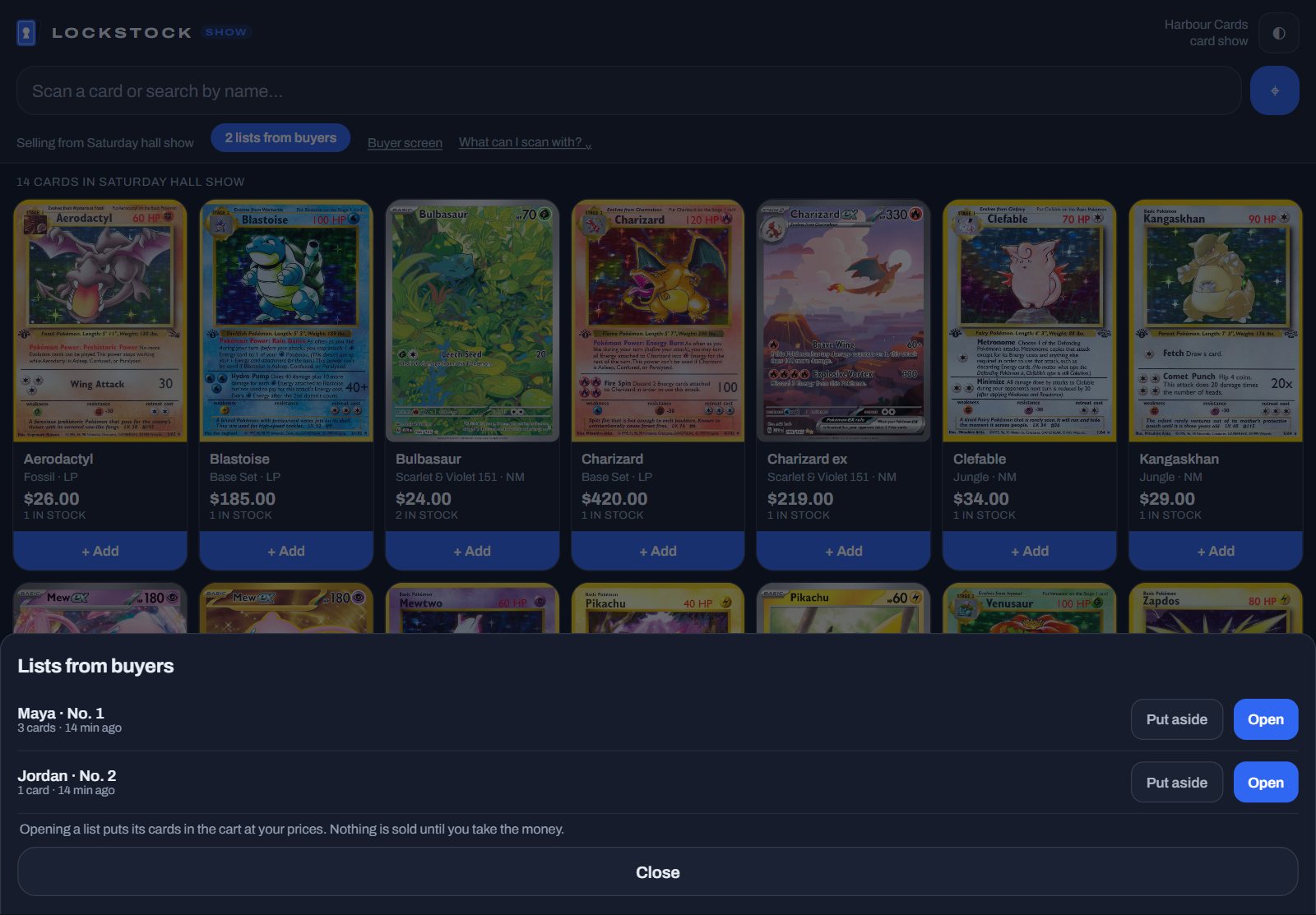
A Bluetooth scanner or the camera reads the label and the card pops into the cart. Or type its name. The whole box loads once, so bad hall wifi doesn't stop you.
Take any payment
Cash, Venmo, Cash App, PayPal, or a card: the buyer scans a code and pays on their own phone, into your Stripe account. No card reader to carry.
Stock drops as you sell
Every sale at the table takes the card out of your Lockstock stock straight away.
Show totals
What you sold, how it was paid, and what's left in the box, for the day.
Your box, on the buyer's phone
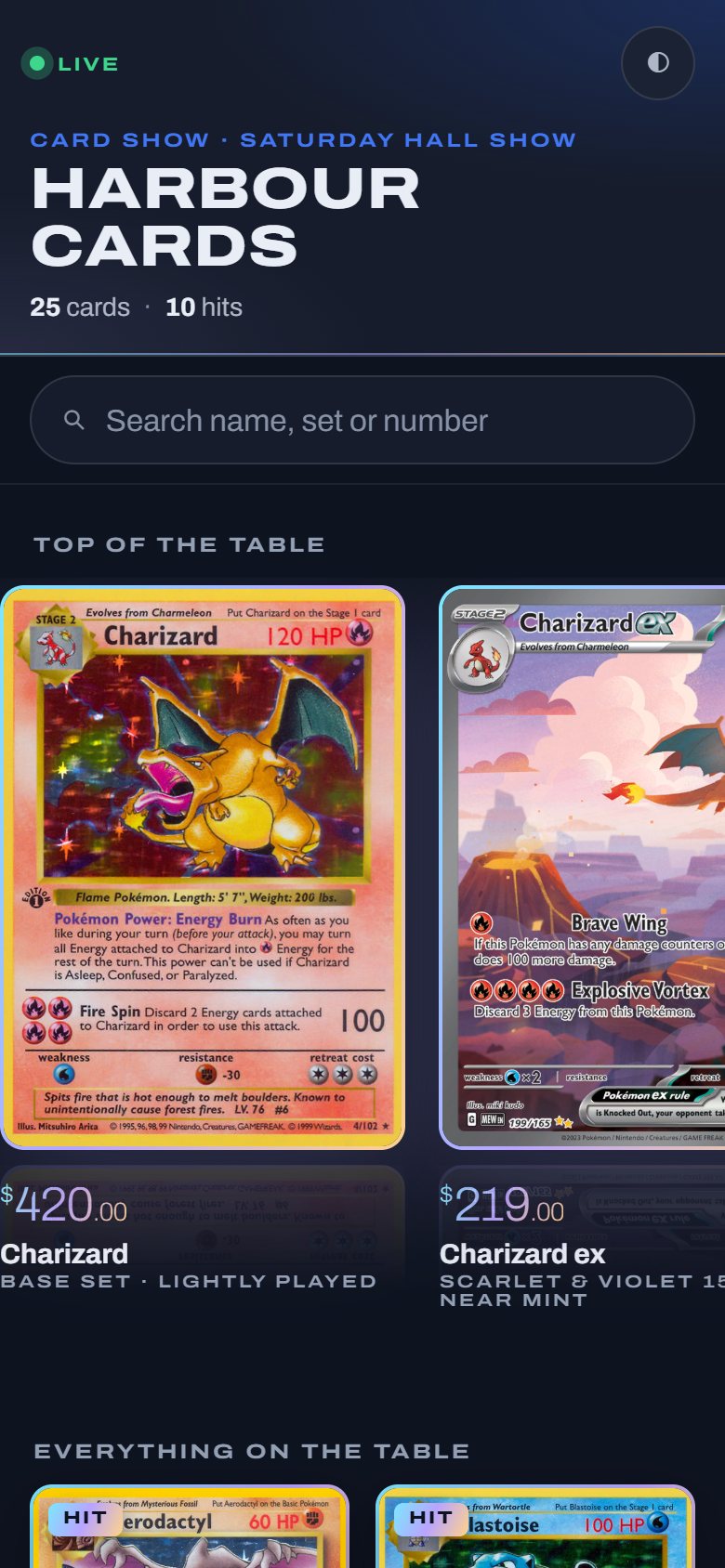
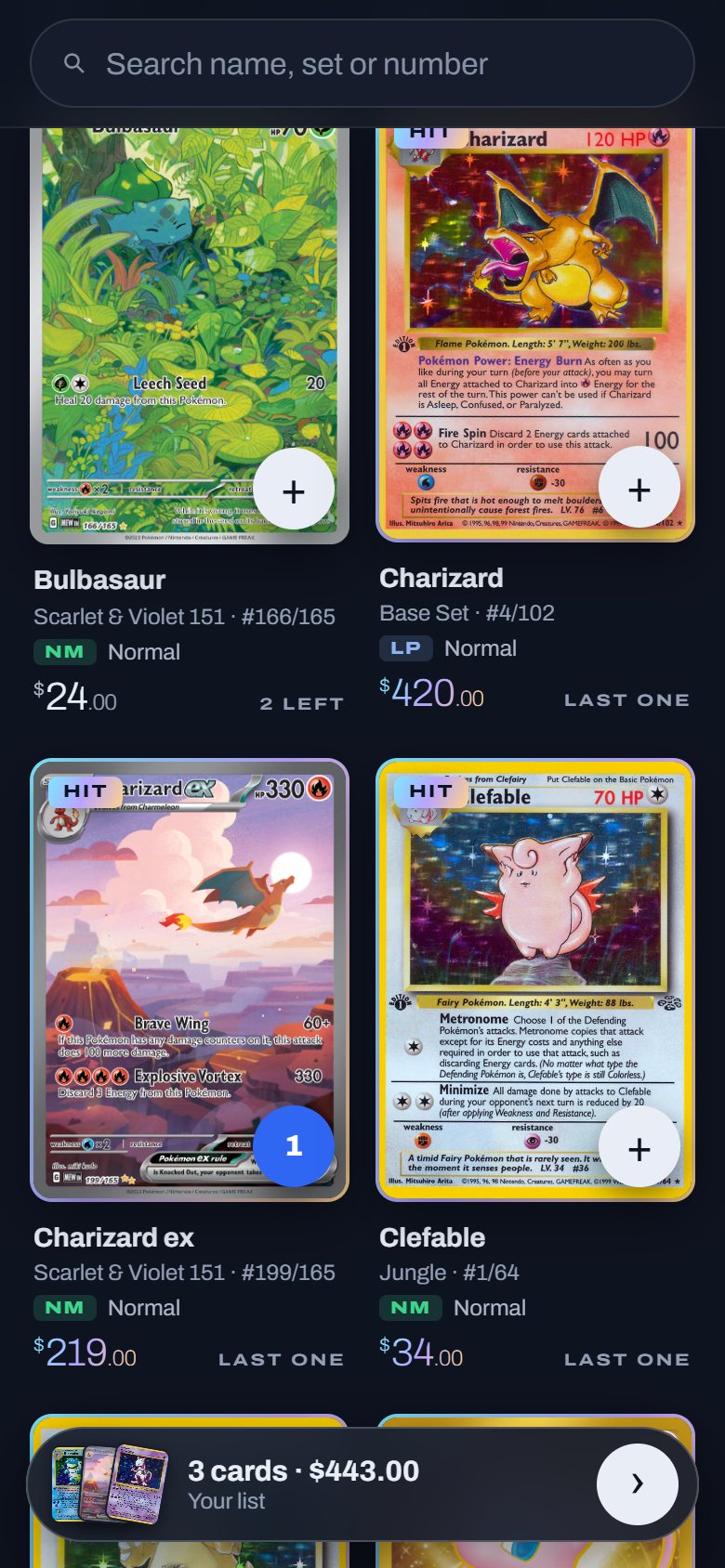
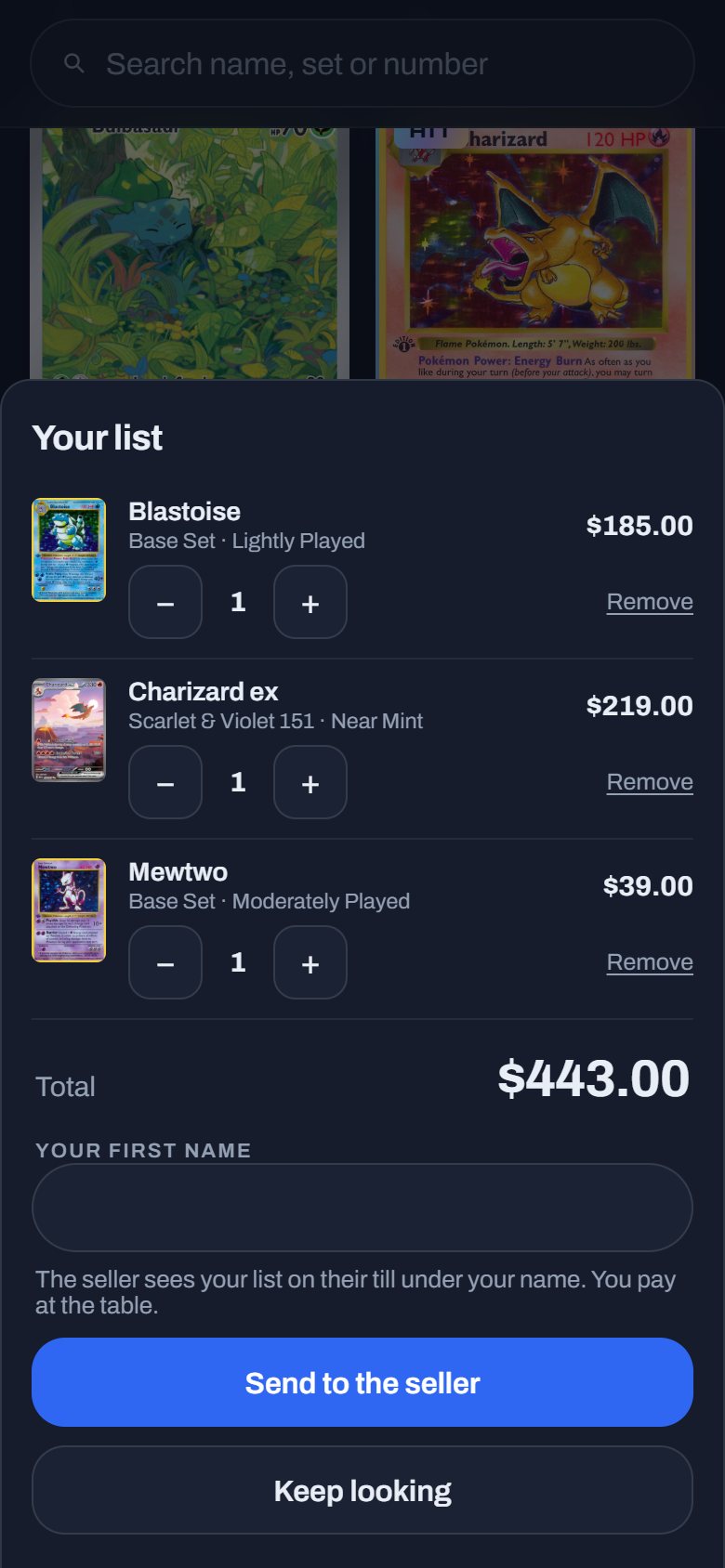
Print the box's QR sign and put it on the table. Buyers browse everything you brought on their own phone, pick their cards and send the list with their first name. It lands on your register at your prices, ready to ring up, while you deal with the person in front of you.
Their list, on your till
"2 lists from buyers" appears on the register. Open one and the buyer's cards go into the cart at your prices.
Buyers see what you did
Their page says whether the list is waiting, open on your till or put aside. While it waits they can change it or take it back.
A tablet between buyers
No phone? Leave a tablet on the table. Between buyers it plays your best cards until someone taps to browse. Turn the page off when the show ends.
Questions vendors ask
Do I need special hardware?
No. The register runs in the browser on a tablet or phone. A Bluetooth scanner makes it faster, but the camera works too.
Do I need a card reader to take cards?
No. The buyer scans a code and pays on their own phone, and the money goes into your own Stripe account.
What if the hall wifi is bad?
The whole box loads onto the register once, at the start, so looking cards up doesn't wait on the connection.
Does a sale at the show end my eBay listing?
Not yet. A show sale takes the card out of your Lockstock stock straight away. Ending the same card's listing on other channels automatically is on our roadmap, and we'd rather say so than promise it.
Which games does it cover?
The catalogue follows TCGplayer's: Pokémon (English and Japanese), Magic, Yu-Gi-Oh!, Lorcana, One Piece, Riftbound and many more.
What does it cost?
Lockstock is free during the beta. After it, plans are priced by how many cards you scan a month, and the show register is on every plan. See pricing.
More of Lockstock
Scanning cards for eBay
Scan a box front and back and get every card back named, graded and priced.
Buylists
Buy collections from the counter, your website or a photo of the pile, at your own rates.
Every card show feature
The full list, with the rest of the app.
Take it to your next show, free during the beta.
Run the register at a real show and tell us what slows you down.
Join the beta