Buy cards at your rates, not by guesswork.
Someone at the counter with a shoebox, a list in your inbox, a seller on your website: Lockstock matches every card, values it at today's market and prices it at your own buy rates, then tracks the list until you've paid.
However the list arrives
Four ways in, one queue.
A photo of the pile
Upload up to twenty photos of binder pages, or cards laid out in a grid on the table, not overlapping. Every card is read, matched and priced.
A pasted list or a spreadsheet
Type it, paste it, or upload a spreadsheet. Grades, graded slabs and "Japanese" are read from the line.
A "sell to us" page
Sellers send a list from your website, with a ready-made spreadsheet template, graded slabs included. Already have a website? Put the buylist inside it.
A phone call or an email
Take a list in by hand and it joins the same queue as everything else.
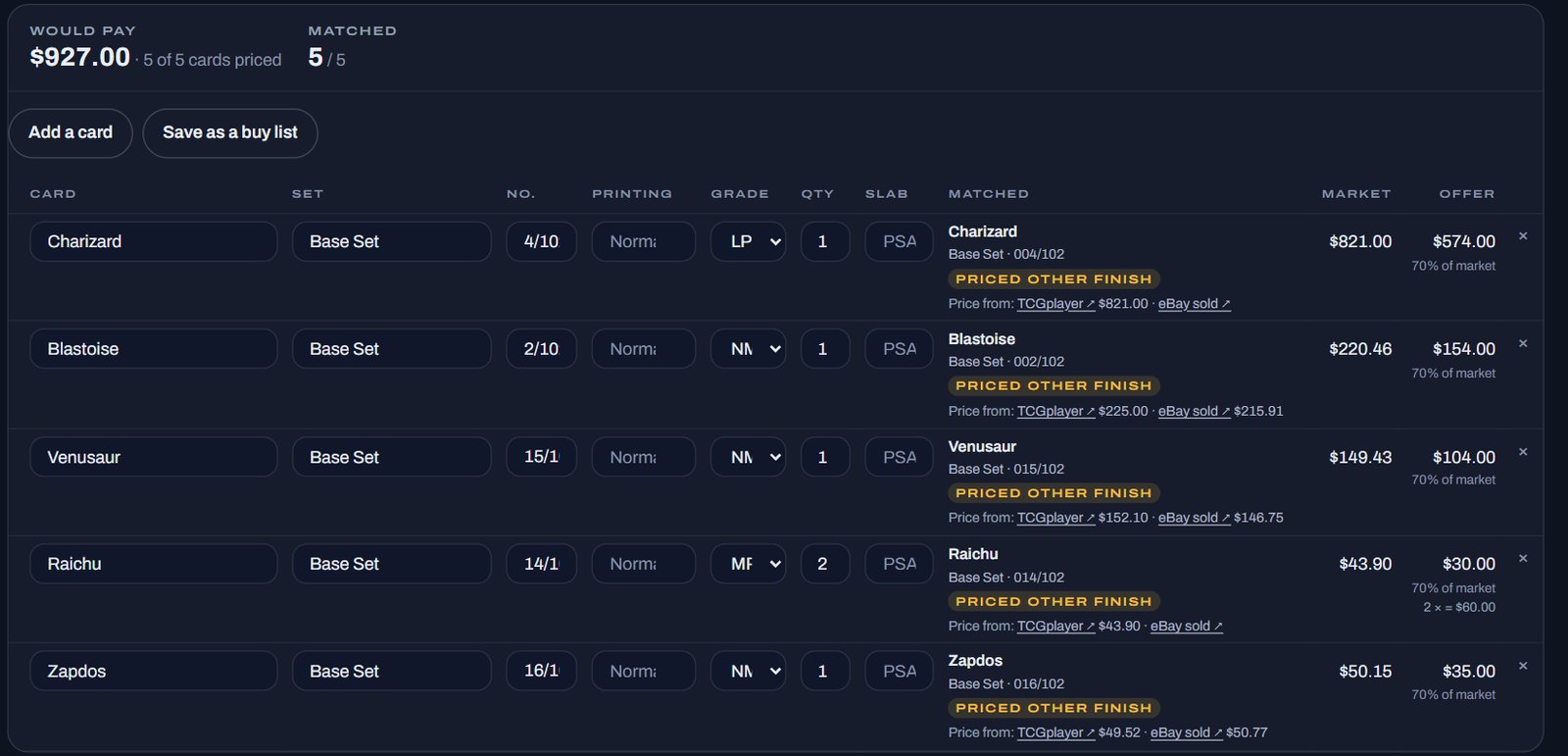
Priced the way you buy
The market value comes from three sources, shown side by side: TCGplayer, JustTCG and PriceCharting's completed eBay sales. Your offer comes from your own rules.
Your buy rates
By condition and by price band, with a minimum offer and rounding. No rate for a grade means no offer, never a guess.
Nothing hidden
A card that couldn't be matched is cut out of the photo and put in front of you. A 1st Edition or Unlimited print is asked, not assumed.
An offer sheet
Print what you'll pay per card for the seller, without the market figure beside it.
The seller's side
Each seller gets a private link. No account, no app.
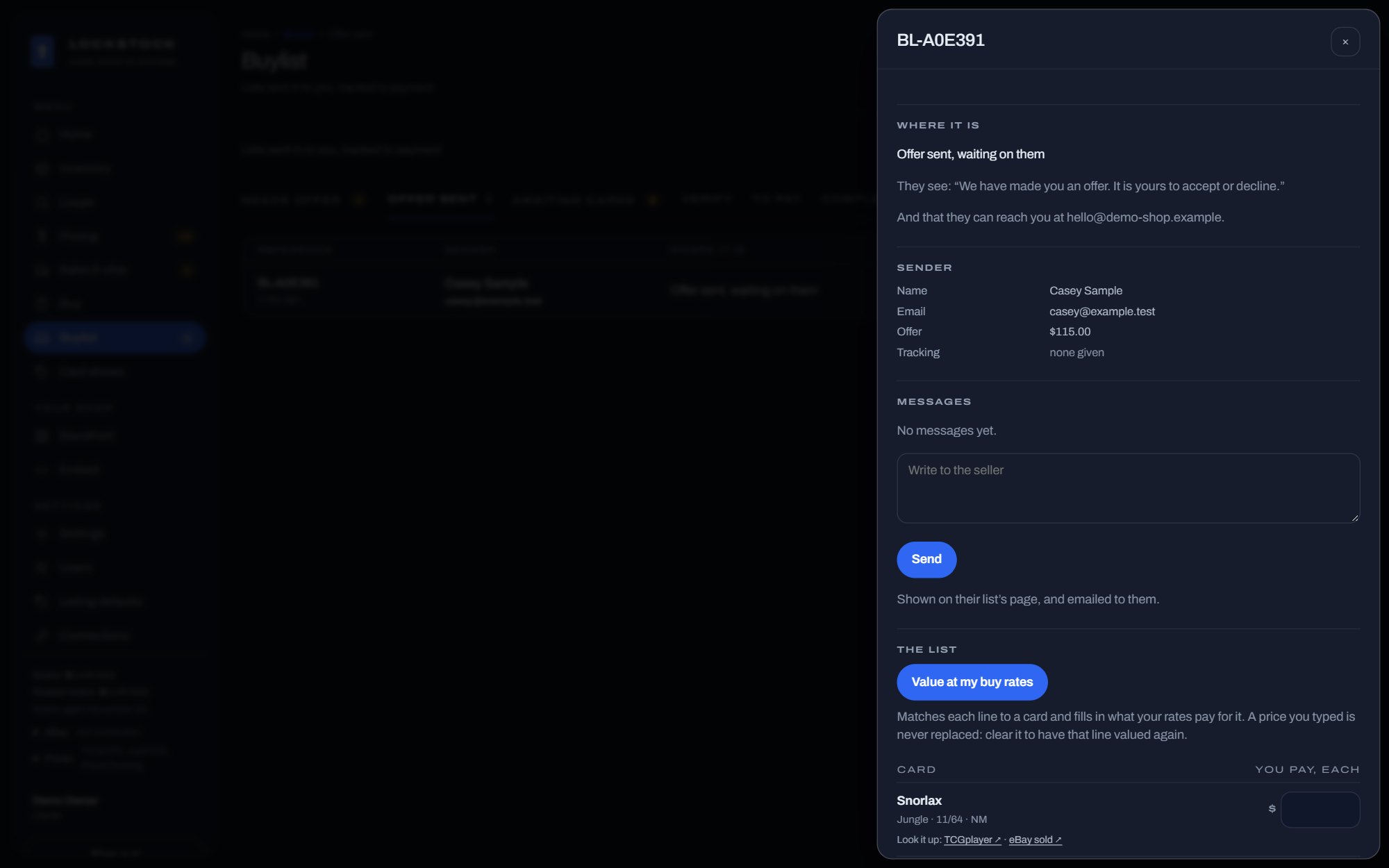
Accept, post, message
On their link the seller accepts your offer, adds the tracking number when they post, writes to you, or calls it off.
You're told
An email the moment a seller sends, accepts, declines, posts or cancels.
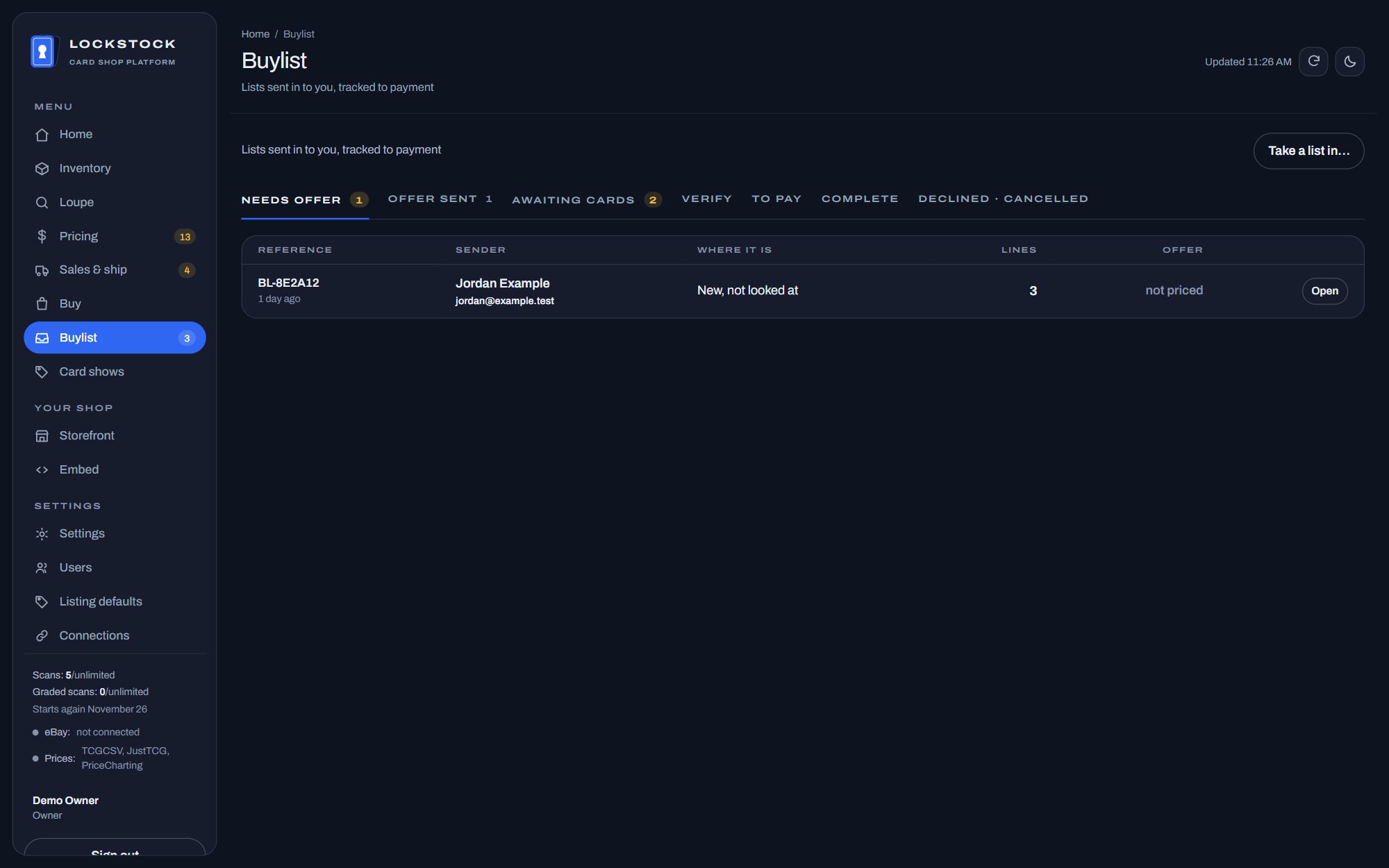
Seven clear stages
Needs offer, offer sent, awaiting cards, verify, to pay, complete, declined.
Money moves last
Accepting isn't paying. A list is only marked to pay once the cards have arrived and you've checked them.
What you paid, kept
Scan a list you bought into stock with Loupe, and each card carries the price you paid for it as its cost.
Come back to it
Save a list, reprice it at tomorrow's market, and fold duplicates into one line.
Questions buyers ask
Does the seller need an account?
No. Each seller gets a private link to follow their list, accept your offer, post the cards and message you.
Can I use it inside the website I already have?
Yes. A small script and an API put your buylist, along with your live stock, into your existing website. Or use a Lockstock website, which has "Sell to us" pages built in.
Where do the market prices come from?
TCGplayer, JustTCG (by condition) and PriceCharting's completed eBay sales, shown separately so you can see when they disagree.
What happens to a card it can't match?
It's cut out of the photo and put in front of you to decide. Nothing is guessed, and a card with no buy rate for its grade gets no offer.
Which games does it cover?
The catalogue follows TCGplayer's: Pokémon (English and Japanese), Magic, Yu-Gi-Oh!, Lorcana, One Piece and many more. Pricing is strongest where the sources are.
What does it cost?
Lockstock is free during the beta. After it, plans are priced by how many cards you scan a month, and the buylist is on every plan. See pricing.
More of Lockstock
Scanning cards for eBay
Scan a box front and back and get every card back named, graded and priced.
The card show register
Ring up sales at the table on a tablet or phone, and let buyers browse your box.
Every buylist feature
The full list, with the rest of the app.
Price your next collection with it, free during the beta.
Photograph what walks in and check the offers against what you'd really pay.
Join the beta